Coming soon to the App Store
Talk about your day. The report writes itself.
A construction daily report app for superintendents and foremen.
One button. No forms.You hit the button and say what you see, when you see it. VOX Field sorts it into the right sections of the report, logs the weather, and has a draft waiting for you to review before you leave the trailer.
$57 a month after the trial. No credit card to start.
Coming soon to the App Store for iPhone. Android is next.
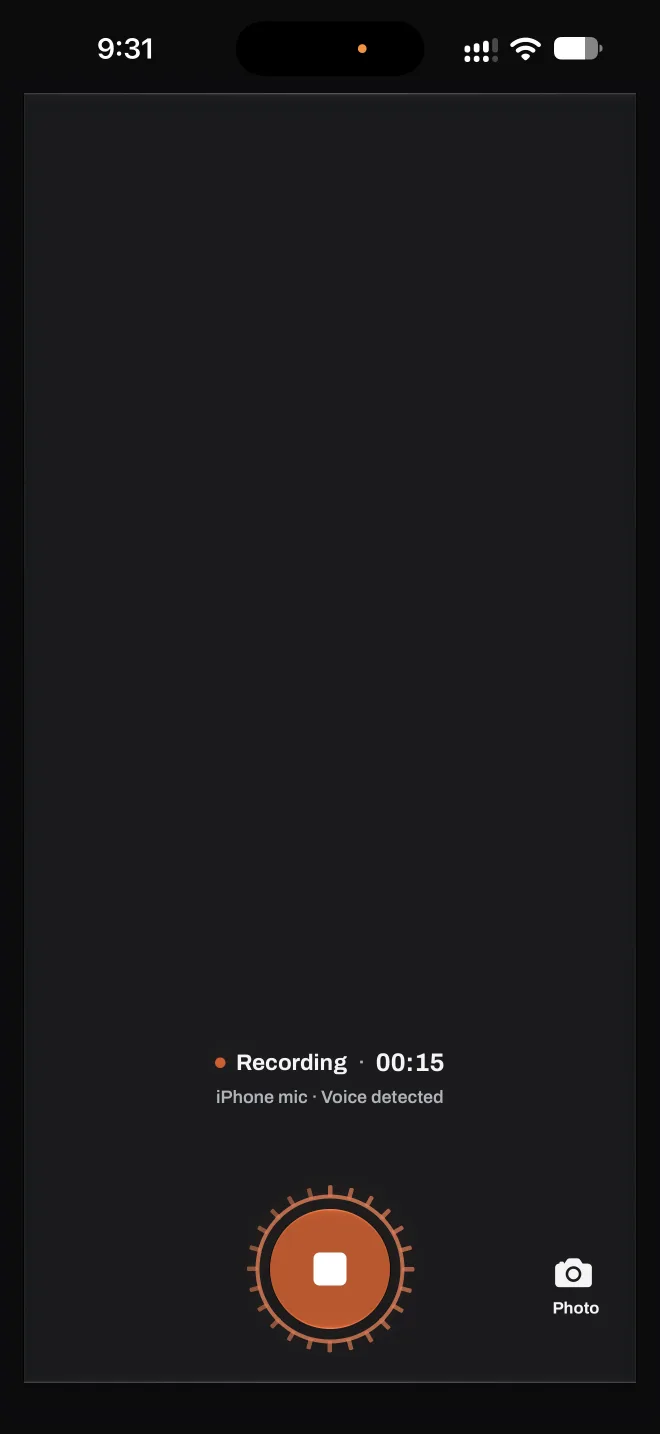
Tap.Talk.Tap again when you’re done.
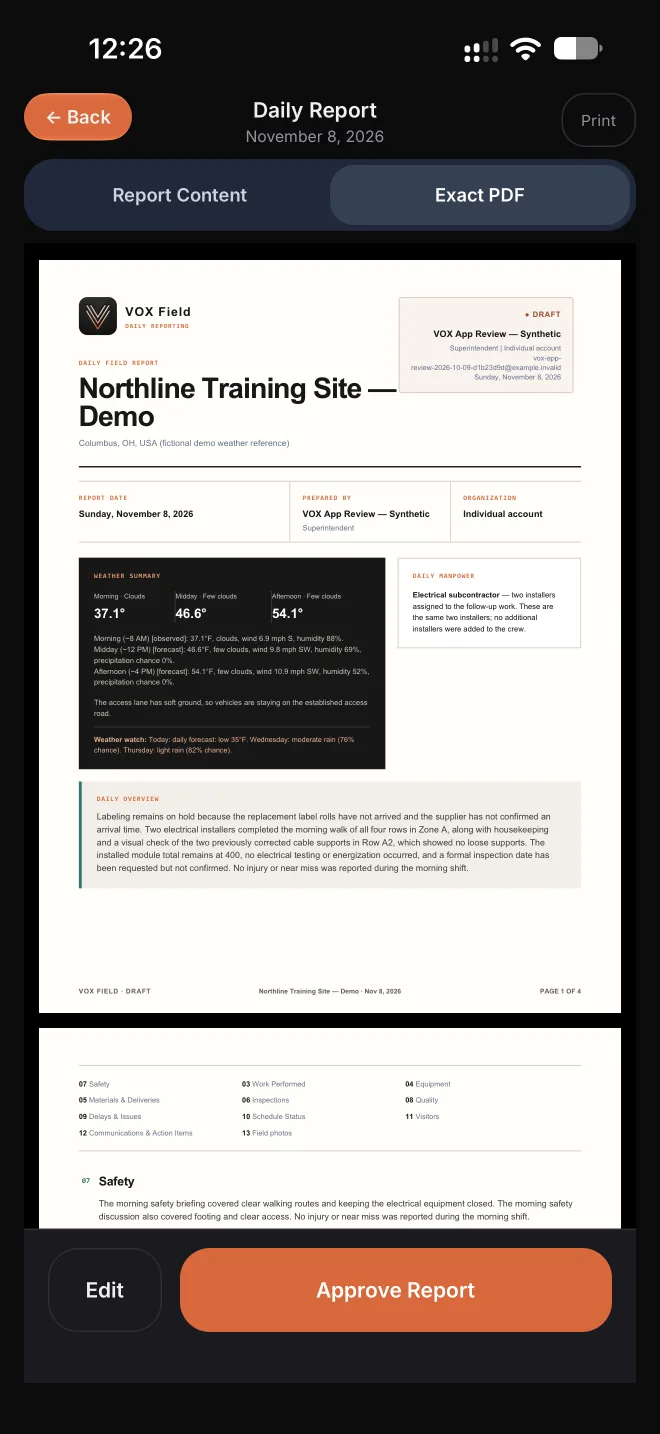
- No forms to fill out
- No rebuilding the day from memory
- Nothing goes out until you approve it
Your daily log, from the first note to the finished report.
These are screens from the app, on a demo project.
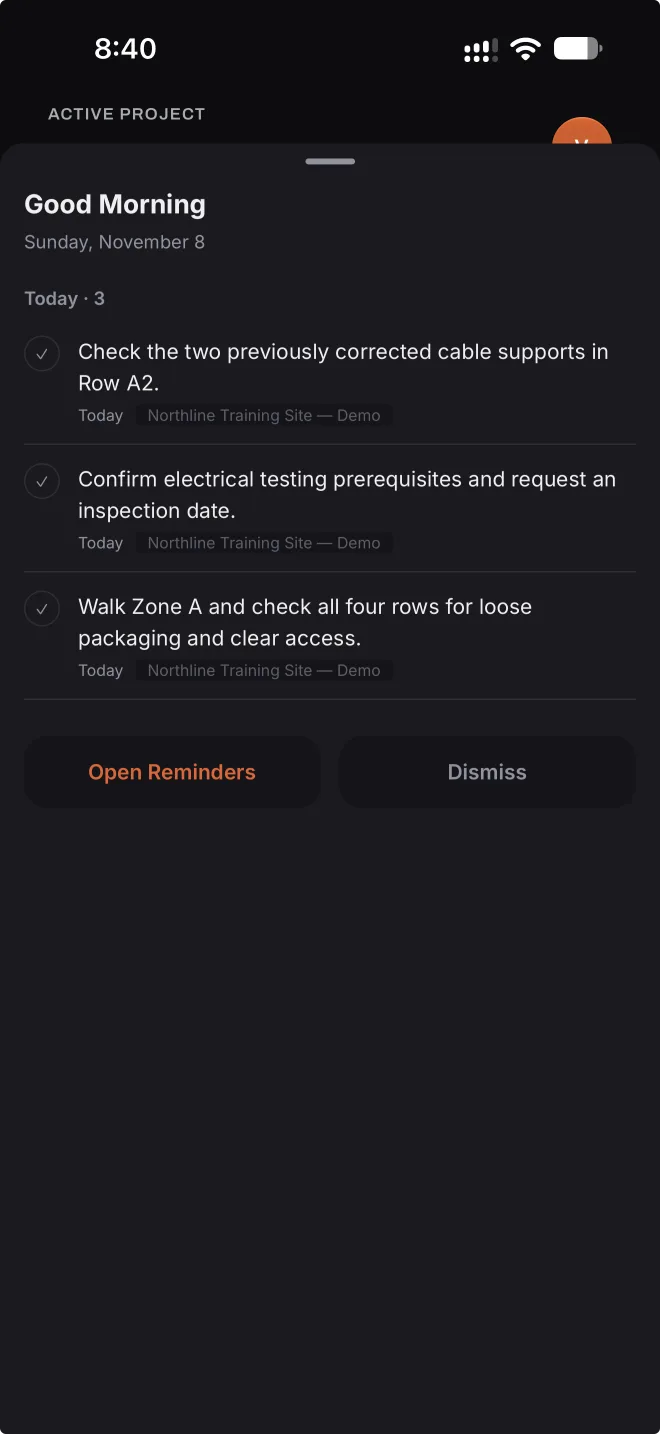
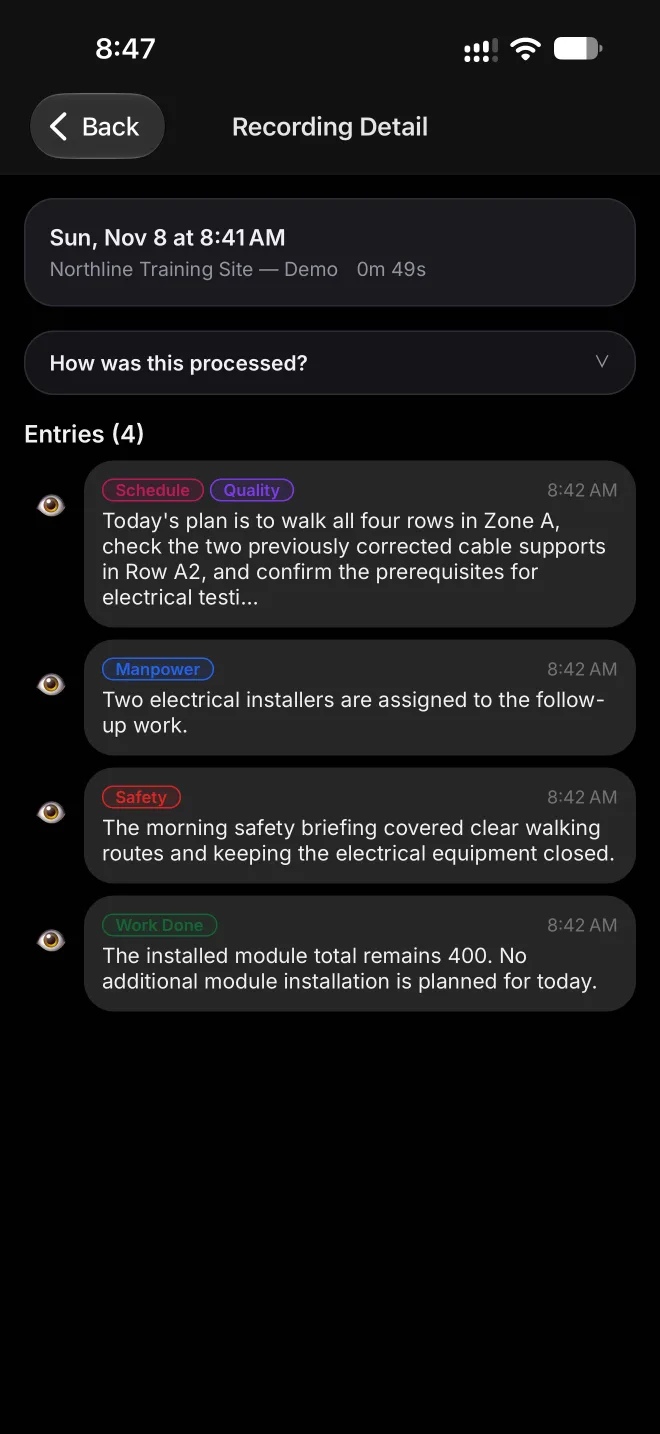
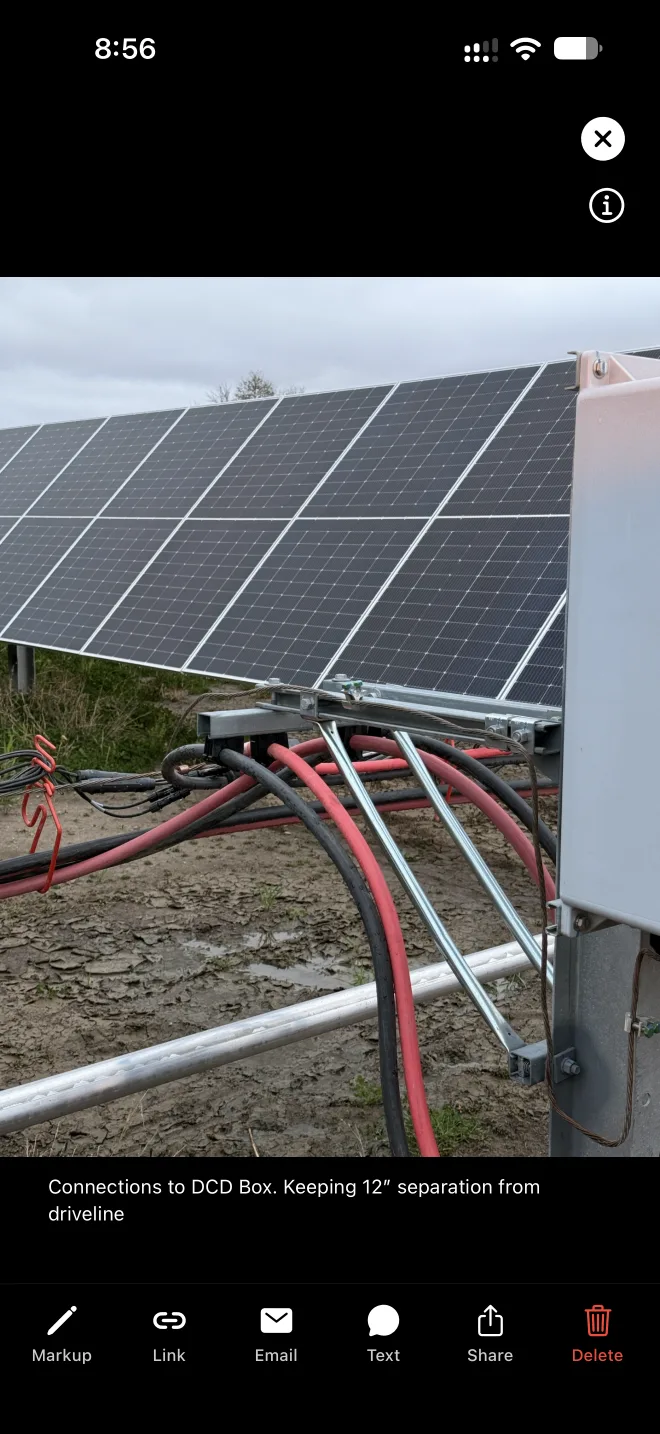
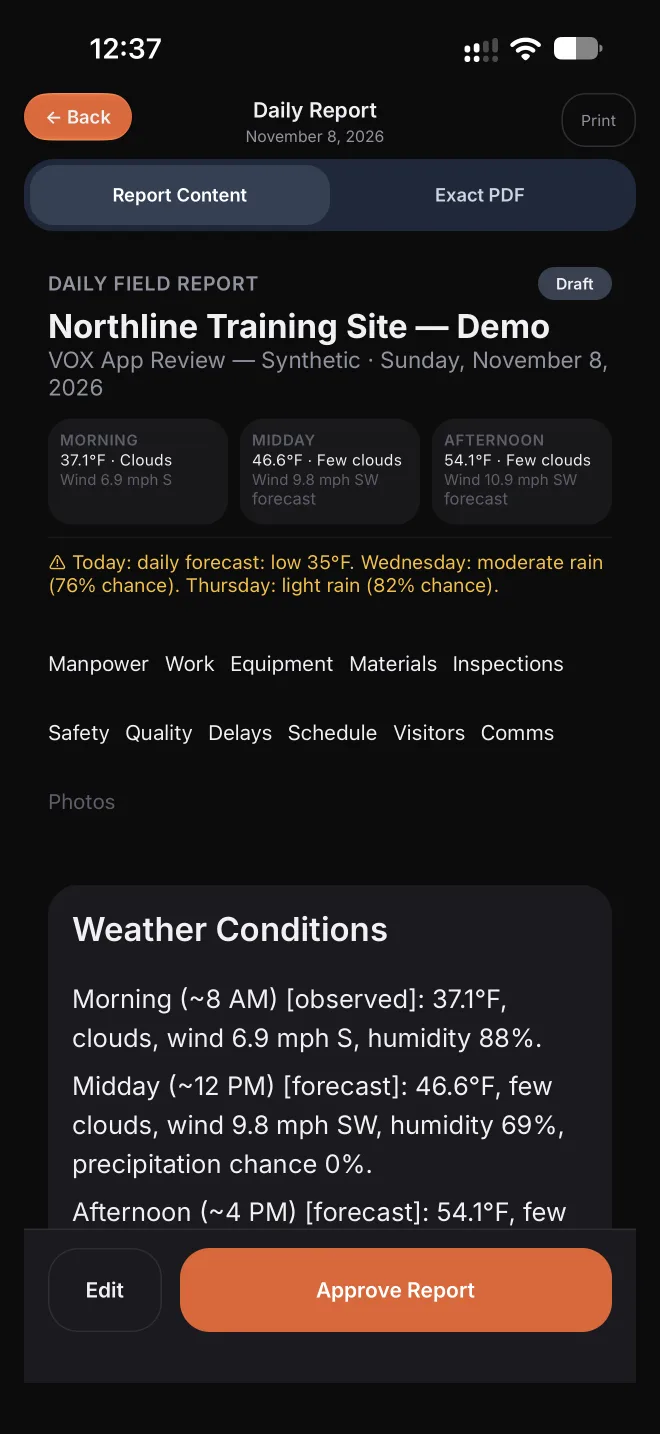
That’s the whole routine. Try it on a real job for 30 days.
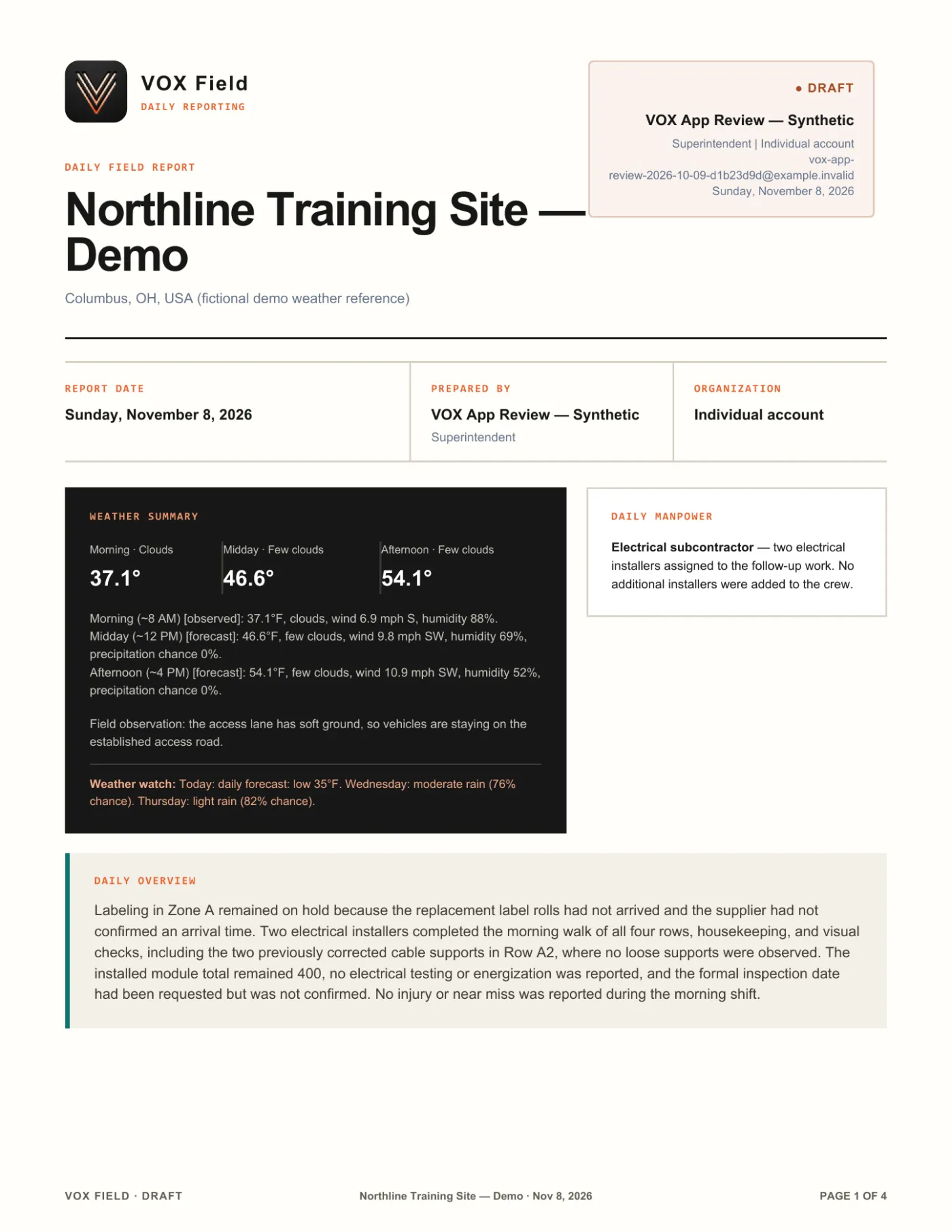
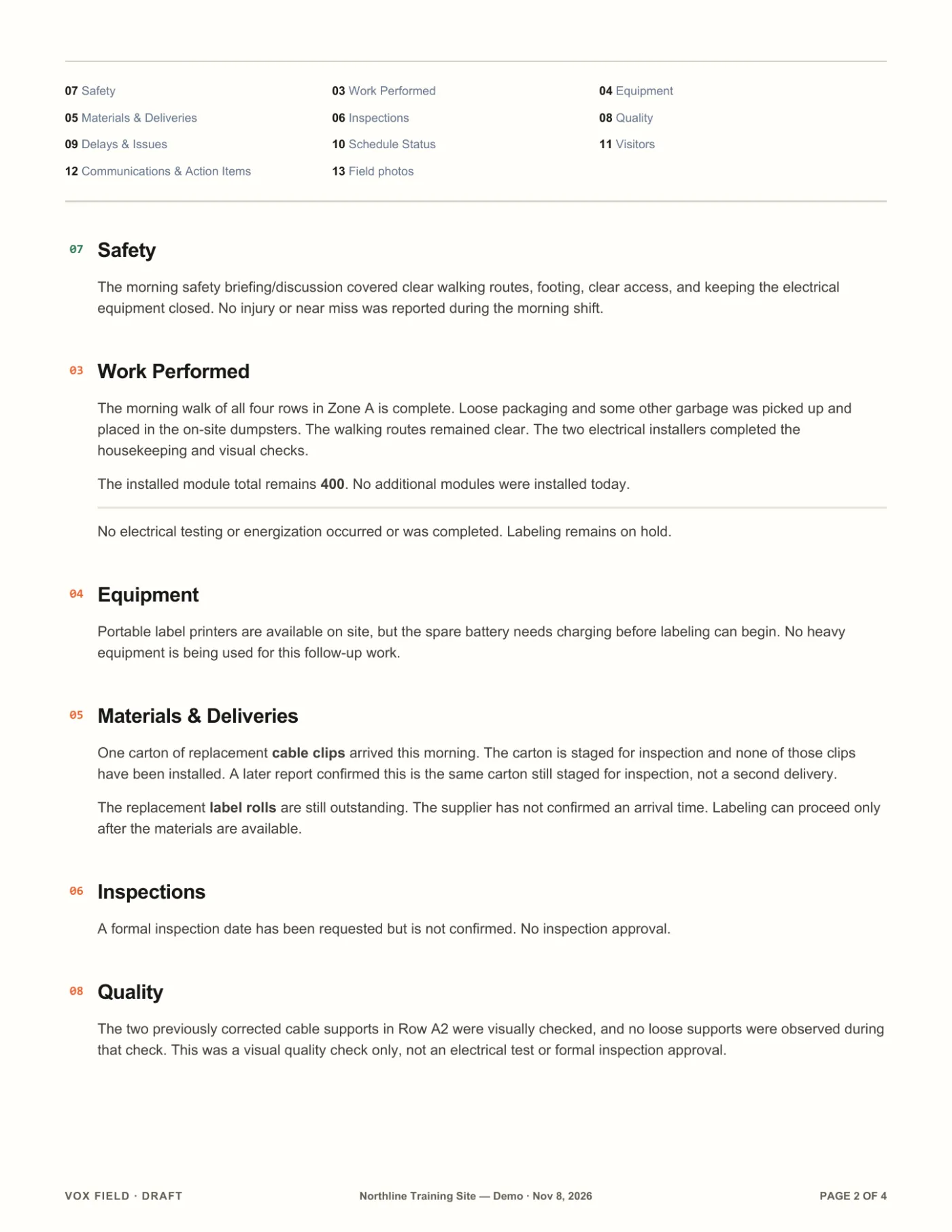
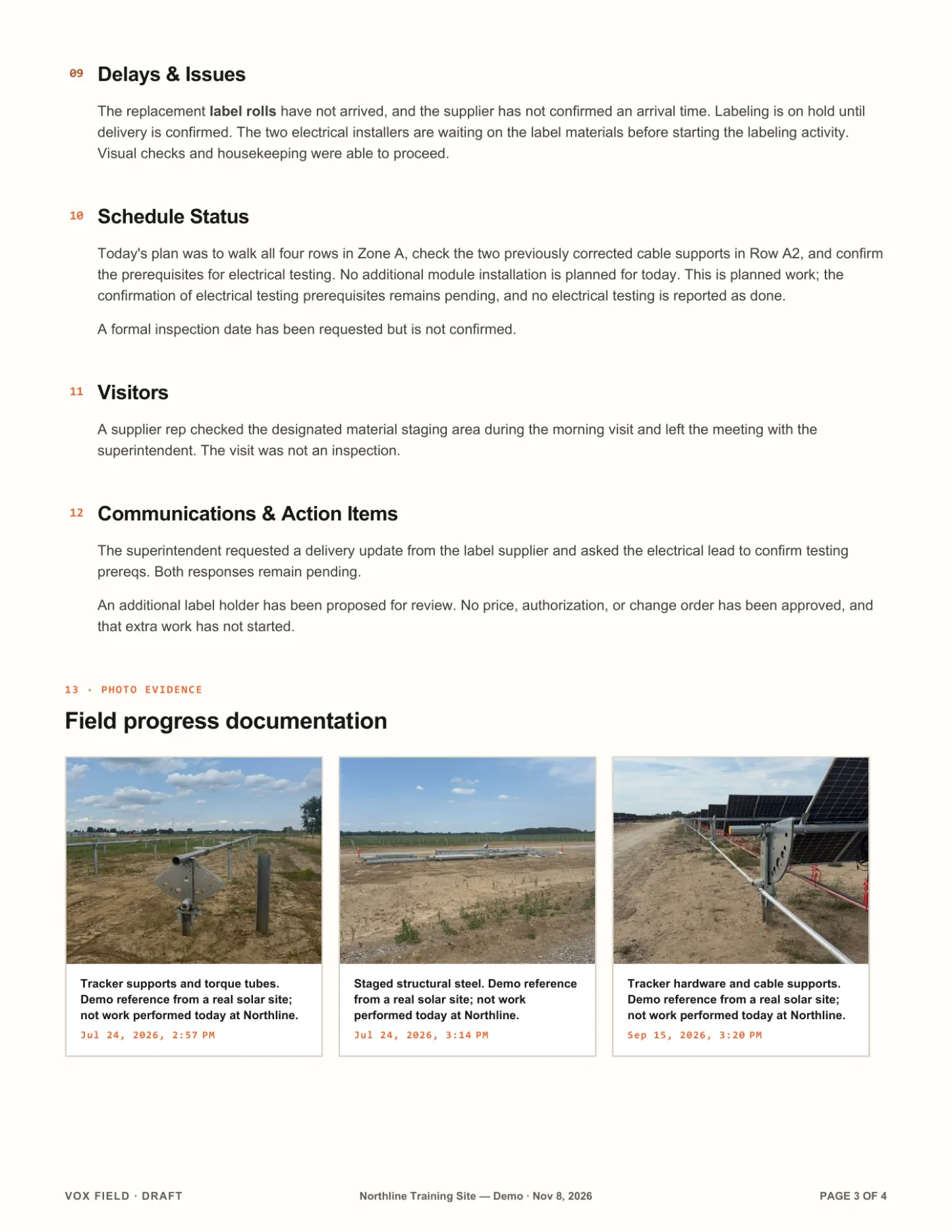
Your construction daily report, ready as a PDF.
It’s a real PDF report from the app, from the same demo day as the screens above. On your account it carries your company’s logo, colors and signature line.
Every report has these sections
- Weather Conditions
- Manpower
- Work Performed
- Equipment
- Materials & Deliveries
- Inspections
- Safety
- Quality
- Delays & Issues
- Schedule Status
- Visitors
- Communications & Action Items
- Photos
Demo project. The job and the company in it are made up. The photos are from a real solar site, and their captions say so.
Weeks later, somebody asks what happened. You ask the job.
The answer comes from that project’s own records, and it shows you where it got it.
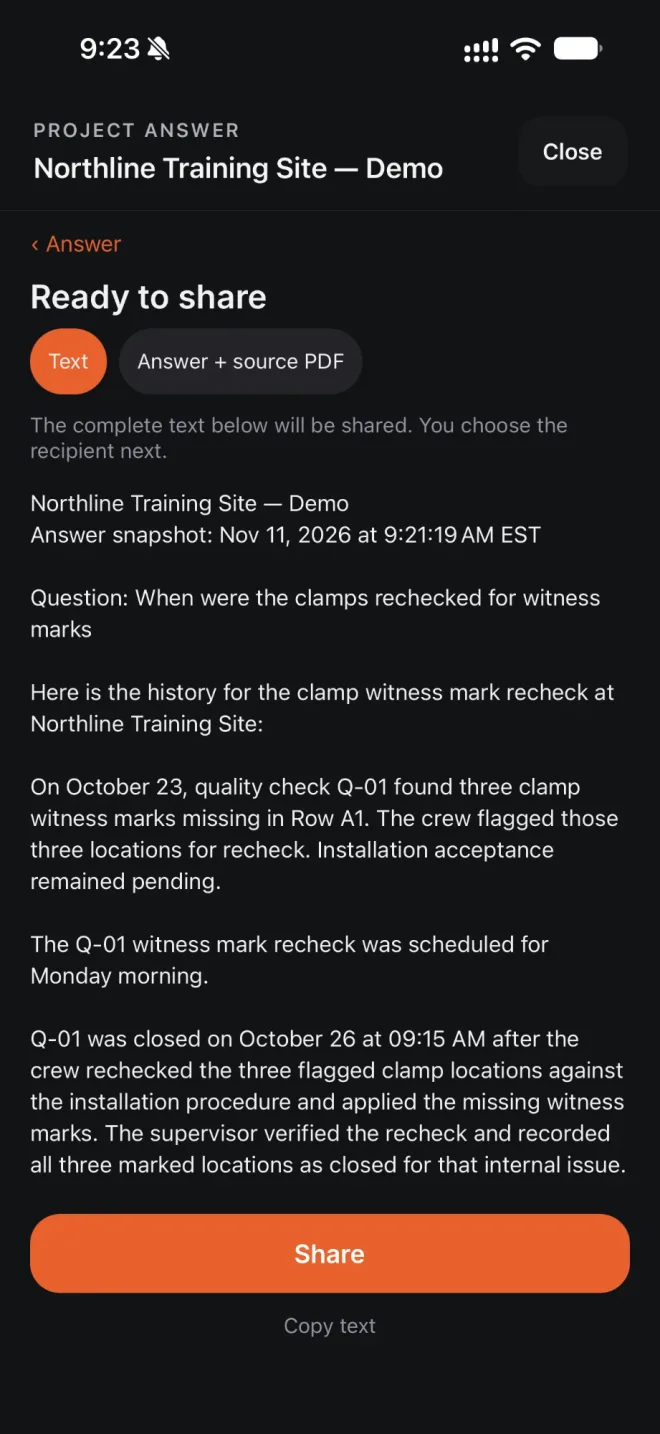
You ask it in plain words.
This one was “When were the clamps rechecked for witness marks.” You can ask out loud or type it, and share the answer as text or as a PDF with its sources.
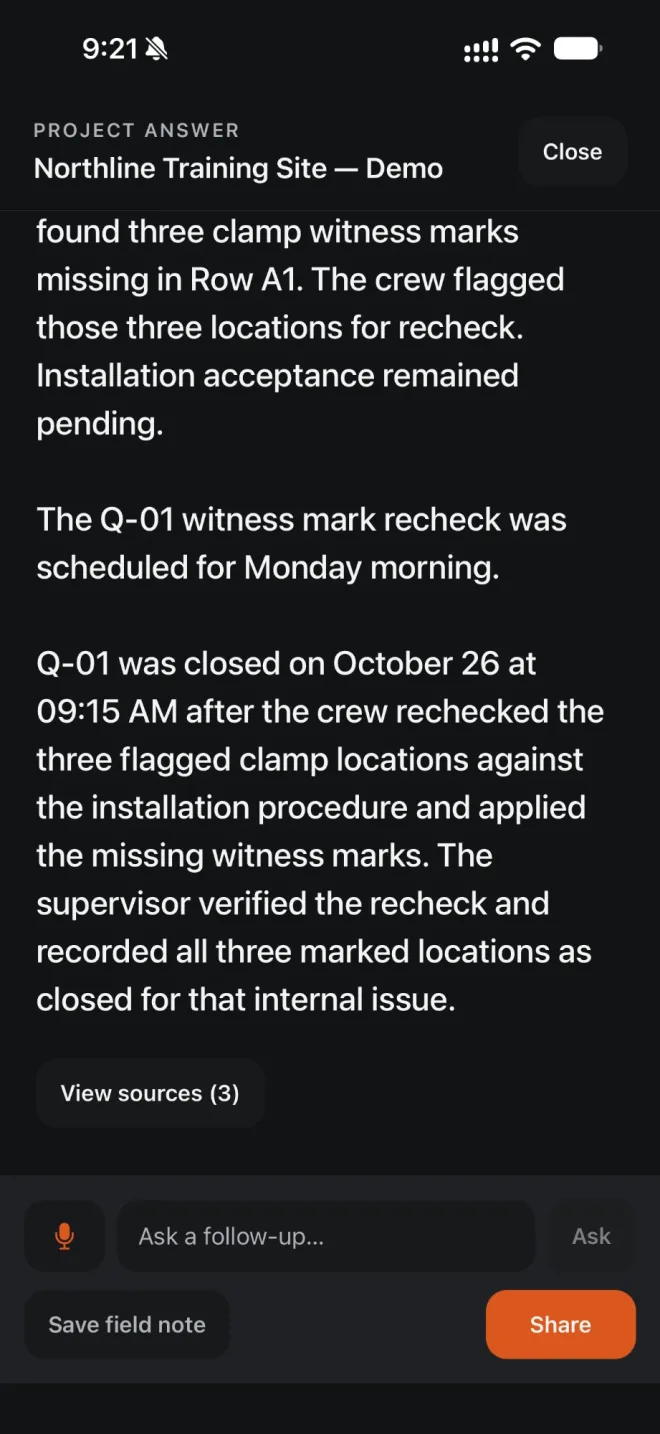
It answers from the record.
The answer is put together from what was said on that project, with the dates. You can ask a follow-up or save the answer as a field note.
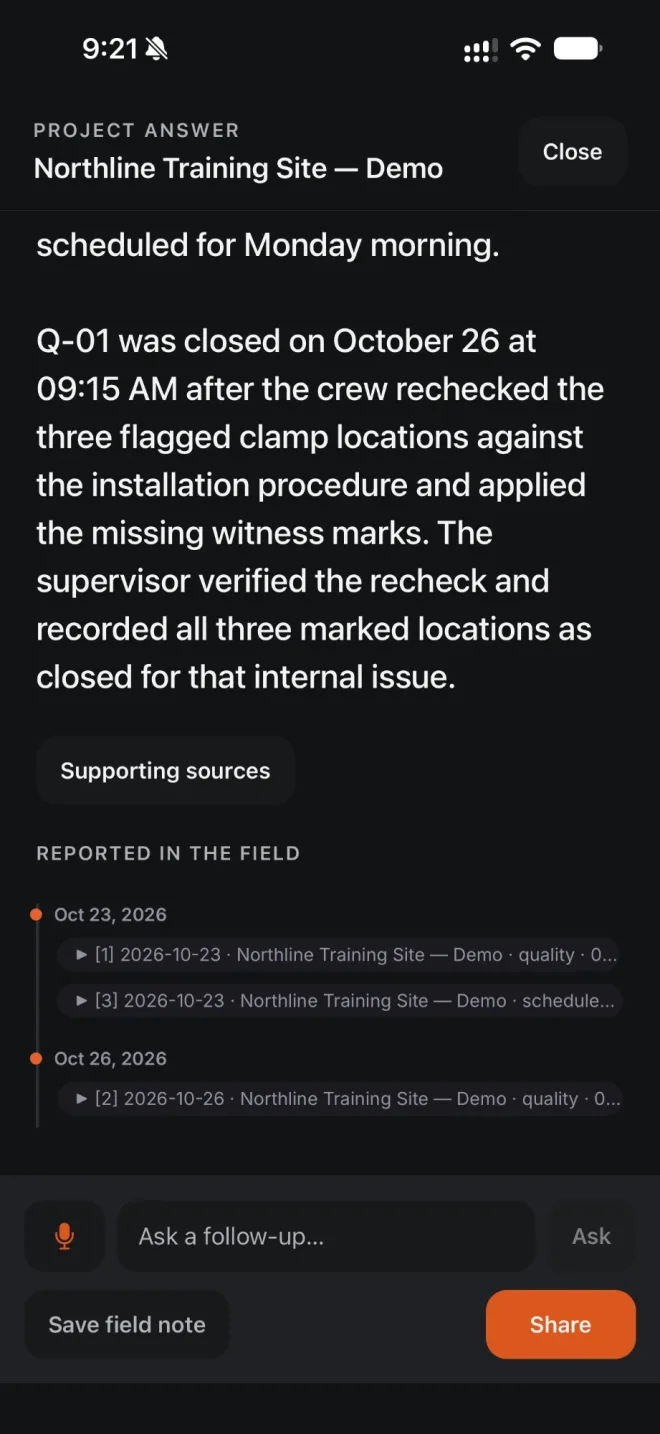
It shows where it came from.
The sources are listed by date. Tap one and it takes you back to the exact recording and its transcript.
Screens from the app, on the same demo project.
The details that are gone by the end of the day are already in there.
I knew what happened on the job. Sitting down later and rebuilding it from memory was another thing.
The daily weather logs itself.
Morning, midday and afternoon readings from the jobsite address go into the report, along with tomorrow’s forecast.
Offline on the jobsite? It still records.
Basements, dead zones, the far end of the site. It records and saves, then uploads on its own when the signal comes back.
Safety gets a second look.
Every note is checked for safety signals, so the thing you mentioned in passing at 2:30 shows up in the Safety section of the report.
Eighteen categories, and you don’t pick one.
Schedule, quality, manpower, safety, deliveries and the rest. What you say gets filed under the right ones on its own.
Reminders by voice.
Say “remind me to call the inspector tomorrow at 9” in the middle of a note. It sets the reminder, and it’s in your briefing that morning.
The weekly summary is drafted for you.
It’s built from the daily reports you approved that week. You can edit it before it goes anywhere.
I built it because I needed it.
I’ve spent about 28 years in commercial and industrial construction, and I’m still out in the field every day. On my own jobs I have to do very detailed daily reports. I was doing my best to rebuild a 12 hour day from memory at the end of it.
So I built the thing I wanted. Now I tap one button and talk about whatever’s in front of me on the project as I see it. The report is done before I leave the trailer.
A couple of the guys in the same role saw me hitting the button and asked how they could get it.
Rick Wyatt, ROI Pros
- Carpenter apprentice
- Foreman
- Superintendent
- Construction manager
- Owner’s rep, still in the field
One price for one field leader.
$57a month
Or $547 for the year, which saves 20%.
Coming soon to the App Store for iPhone. Android is next.
- The first 30 days are free.You don’t need a credit card to start. Try it on a real job before you pay for anything.
- You get the month back if it’s not for you.If VOX Field is not working for you, tell me and I refund the month you are in. No questions asked.
- It’s the whole app.Voice notes, photos, the daily report, the weekly summary and asking the job a question.
Setting this up for several people? The company account gives your project managers a web portal, with every project’s reports in one place.
VOX Field for companiesFair questions about construction daily reports.
What do I need to use it?
An iPhone. That’s it for now. Android is coming soon, but it isn’t here yet.
Does it send reports on its own?
No. It writes the draft from what you said through the day. You read it, fix anything that’s off, and approve it. Then it emails the PDF to the distribution list for that project.
Can I change what it wrote?
Yes. You can edit any section of the report before you approve it. The report is yours, and you have the last word on it.
Does it work offline?
Yes. It still records. The note saves on the phone and uploads by itself when the signal comes back.
What does the report look like?
A PDF with your company’s logo, colors and signature line. It has the sections a daily report is expected to have, like weather, manpower, work performed, deliveries, inspections, safety, and delays.
How does the trial work?
You get 30 days and you don’t need a credit card to start. The clock starts the first time you sign in. After that it’s $57 a month.
What if it’s not for me?
If VOX Field is not working for you, tell me and I refund the month you are in. No questions asked.
If you’d rather talk than type, try it on a real job.
30 days. Costs you nothing. No credit card even needed.
$57 a month after the trial. Money back for the month you are in. No questions asked.
Coming soon to the App Store for iPhone. Android is next.